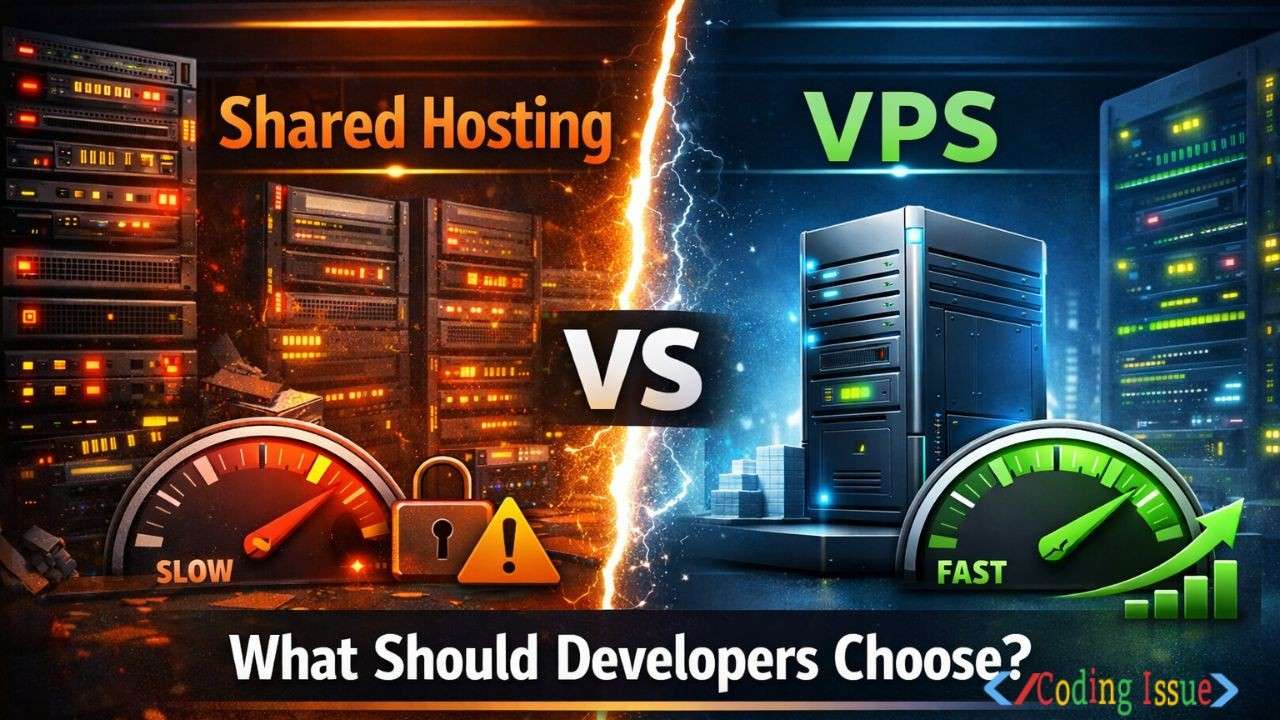
When developers start deploying real projects, hosting becomes a critical technical decision. Choosing between shared hosting and a VPS can directly affect performance, scalability, security, and even developer productivity.
Shared hosting vs VPS is not just a pricing debate. It’s about control, reliability, and how serious your application requirements are. This guide breaks down both options from a developer-first perspective, not a marketing angle.
Introduction to Shared Hosting vs VPS for Developers
Shared hosting vs VPS is one of the earliest infrastructure decisions developers face. Many start with shared hosting because it is cheap and easy. As projects grow, limitations appear fast.
Developers need to think beyond cost. Application type, traffic patterns, backend stack, and future scaling all influence the right choice. Understanding how both environments actually work helps avoid painful migrations later.
What Is Shared Hosting and How It Works
Shared hosting means multiple websites run on the same physical server. All users share CPU, RAM, storage, and bandwidth.
Hosting providers manage the server, OS, security updates, and control panel. Developers only get limited access through a dashboard like cPanel or Plesk.
1. Resource Sharing Explained
Resources are pooled across hundreds of users. If one site spikes traffic or runs heavy scripts, other sites may slow down.
This model works well for static sites, basic blogs, and low-traffic applications. It struggles under dynamic workloads.
2. Typical Use Cases for Shared Hosting
Shared hosting suits developers working on:
- Simple portfolio websites
- WordPress blogs with light traffic
- Small business landing pages
- Temporary demo projects
It is rarely suitable for APIs, SaaS products, or high-traffic apps.
What Is VPS Hosting and How It Works
A VPS, or virtual private server, uses virtualization to divide one physical server into isolated environments. Each VPS has dedicated resources.
Developers get root access and full control over the server environment. You choose the OS, software stack, and security configurations.
1. Virtualization and Isolation
Even though VPS instances share hardware, they are logically isolated. One VPS cannot consume another’s resources.
This isolation delivers consistent performance and better reliability than shared hosting.
2. Typical Use Cases for VPS
VPS hosting is ideal for:
- Custom backend applications
- REST APIs and microservices
- SaaS platforms
- High-traffic WordPress or CMS sites
- Developers needing Docker or custom services
It’s the minimum professional-grade hosting most developers should consider.
Shared Hosting vs VPS: Performance Comparison
Performance is one of the biggest deciding factors for developers.
1. CPU, RAM, and I/O Differences
Shared hosting limits CPU and RAM usage aggressively. Background jobs, cron tasks, and build processes are often throttled.
VPS hosting provides guaranteed resources. Your application performance remains predictable even during traffic spikes.
2. Impact on Application Speed
Slow database queries and PHP or Node processes suffer badly on shared servers. VPS environments handle concurrent requests more reliably.
For developers optimizing response times and Core Web Vitals, VPS clearly wins.
Security Differences Developers Should Care About
Security is often underestimated until something breaks.
1. Risks in Shared Hosting Environments
Shared servers increase attack surface. A vulnerability in one site can affect others on the same machine.
Limited access prevents developers from implementing custom firewalls or advanced security rules.
2. VPS Security Advantages
With VPS, developers control:
- Firewall rules
- SSH access
- OS-level hardening
- Malware scanning
This makes VPS significantly safer for production applications and user data.
Scalability and Flexibility Considerations
Scalability is where shared hosting usually fails first.
1. Scaling Limits of Shared Hosting
Shared hosting cannot handle:
- Traffic surges
- Background workers
- Queue processing
- Heavy API usage
Upgrading usually means migrating away entirely.
2. VPS Scaling Options
VPS hosting allows:
- Vertical scaling (add RAM/CPU)
- Horizontal scaling (multiple VPS instances)
- Integration with load balancers
This flexibility is essential for growing applications.
Cost Comparison: Shared Hosting vs VPS
Cost matters, especially for independent developers.
| Feature | Shared Hosting | VPS Hosting |
|---|---|---|
| Monthly Cost | Very low | Moderate |
| Performance | Unpredictable | Stable |
| Root Access | No | Yes |
| Custom Stack | Limited | Full |
| Scalability | Poor | Excellent |
| Best For | Small sites | Serious apps |
Shared hosting looks cheaper upfront. VPS saves money long-term by avoiding downtime and forced migrations.
Developer Experience and Tooling
Hosting affects daily development workflow more than most realize.
1. Development Limitations on Shared Hosting
Shared hosting often blocks:
- Custom daemons
- Docker
- Node background services
- Advanced caching tools
This restricts modern development practices.
2. VPS Freedom for Developers
On VPS, developers can:
- Install any runtime
- Use Docker and Kubernetes
- Run CI/CD pipelines
- Optimize server configs
This freedom accelerates development and debugging.
When Developers Should Choose Shared Hosting
Shared hosting still has a place in limited scenarios.
1. Early Experiments and Learning
If you are learning PHP, WordPress, or basic hosting concepts, shared hosting is fine.
2. Very Low Traffic Projects
Static or brochure-style websites with minimal backend logic work well on shared hosting.
Developers should treat it as a temporary or educational solution.
When Developers Should Choose VPS Hosting
For most professional developers, VPS is the better choice.
1. Production Applications
Any app with users, data, or monetization needs VPS-level control and reliability.
2. Performance-Sensitive Projects
APIs, dashboards, and SaaS platforms benefit massively from VPS stability.
Popular providers developers often use include DigitalOcean, Linode, and AWS Lightsail.
Common Mistakes Developers Make When Choosing Hosting
1. Choosing Based on Price Alone
Cheap hosting often costs more later in downtime and migrations.
2. Ignoring Future Growth
Projects rarely stay small. Planning for growth saves technical debt.
Best Practices for Migrating from Shared Hosting to VPS
1. Plan the Stack Before Migration
Set up the VPS environment before moving traffic.
2. Test Performance and Security
Benchmark your app and lock down security before DNS changes.
FAQ
Is VPS overkill for small projects?
VPS is not overkill if the project has growth potential. It provides stability and control even for moderate workloads.
Can I run Docker on shared hosting?
No. Shared hosting does not allow containerization or daemon-level processes.
Is VPS harder to manage for developers?
VPS requires basic Linux knowledge, but modern tools make management straightforward.
Which is better for Node.js applications?
VPS is far superior. Shared hosting struggles with persistent Node processes.
Can shared hosting handle high traffic?
No. High traffic often causes throttling or suspension on shared servers.
Conclusion: Shared Hosting vs VPS for Developers
Shared hosting vs VPS comes down to control, performance, and scalability. Shared hosting works for learning and small static sites. VPS is the right choice for serious development, production apps, and long-term growth.
For developers who value reliability, flexibility, and professional workflows, VPS hosting is not optional. It’s the foundation modern applications need.
Write a comment